
StepraEngine Pro
Your checkout adapts to your store. Not the other way around.
Pro adds unlimited steps, full WooCommerce checkout support, and an order review step — all built on the same adaptive structure detection that makes Lite work without configuration.
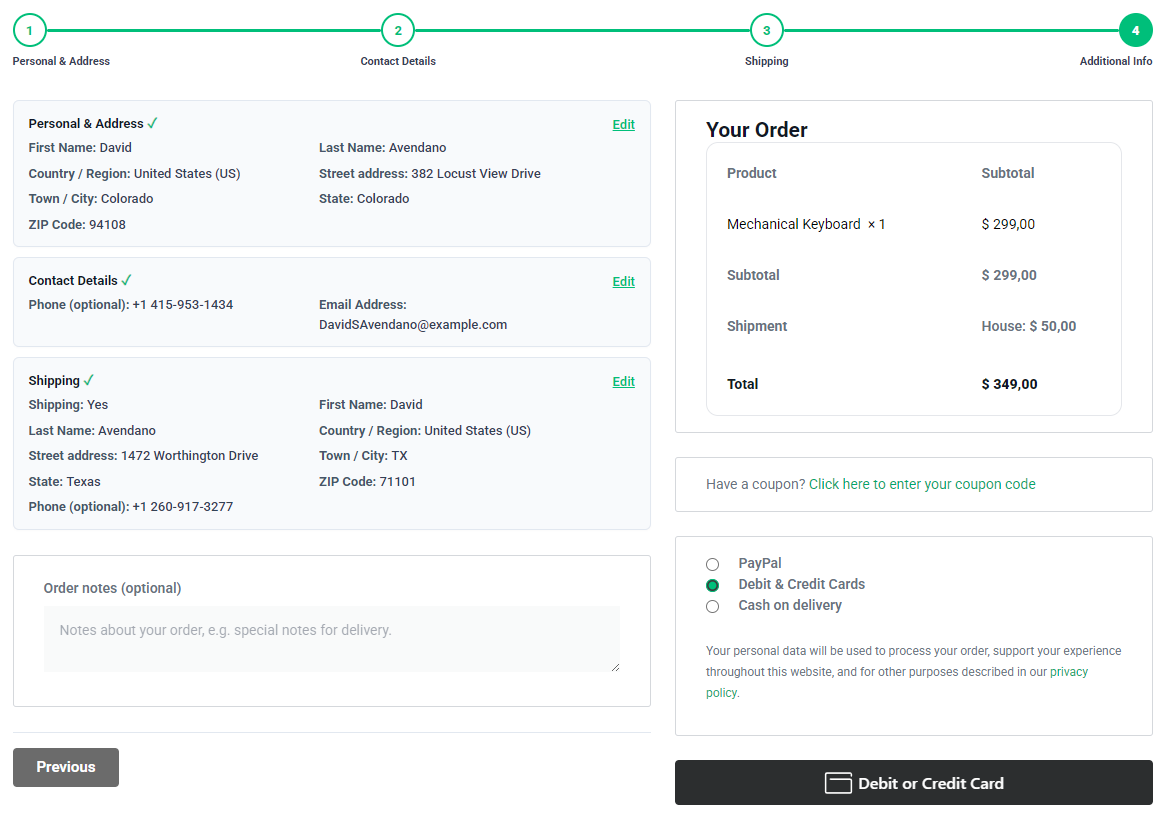
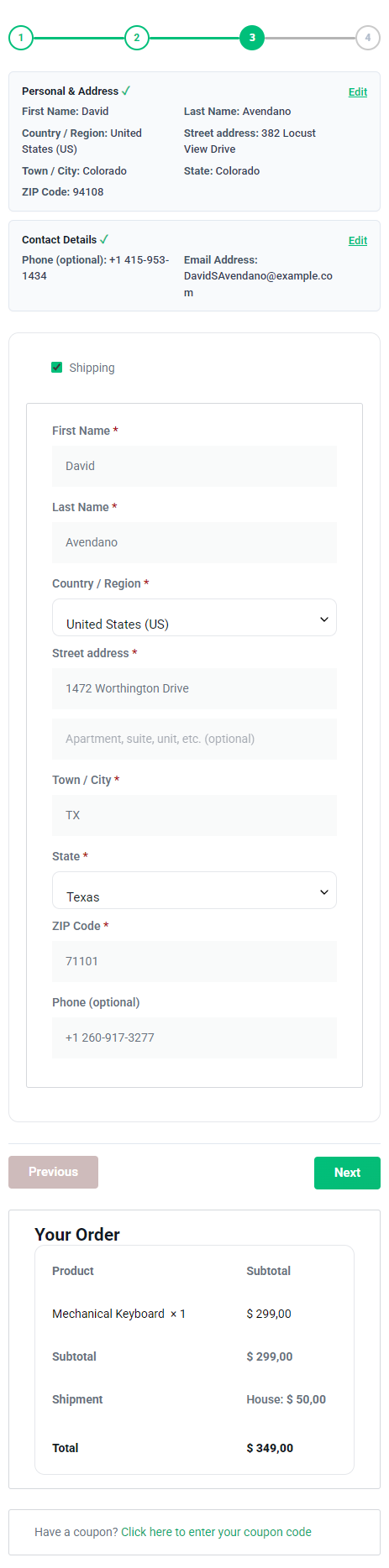
Built for desktop and mobile form flows
steps per form, no Lite limit
0
lines of code to configure
4
builders + WooCommerce, one plugin
Built for desktop and mobile form flows
StepraEngine Pro helps long forms and WooCommerce classic checkout feel cleaner across screen sizes by splitting them into focused steps with clear navigation, progress, and review controls.
WHY WOOCOMMERCE CHECKOUT IS DIFFERENT IN PRO
It doesn't just split your checkout. It understands it.
Most checkout step plugins assume every store has the same fields in the same order. Pro reads your actual checkout structure and builds the flow around it — every time it changes.
No shipping fields? No shipping step.
Selling digital downloads, services, or local-pickup-only products? When WooCommerce checkout has no shipping address fields, Pro never builds an empty shipping step. The flow is exactly as long as it needs to be.
Example: A digital course store goes from 4 steps to 3 automatically — Personal Details, Contact, Notes. No settings to change.
Custom checkout fields, placed correctly
Added a delivery instructions field, a tax ID field, or a gift-message box to checkout? Pro detects fields that aren’t part of WooCommerce core and slots them into the most relevant step automatically.
Example: A “Gift message” field added near shipping fields stays grouped with Shipping — not pushed to its own step.
Splits a minimal checkout on its own
Some stores strip checkout down to just Billing and Order Notes. Pro still recognizes the natural break and creates a clean three-step flow — Personal details, Contact, then Notes & Payment — with zero extra setup.
Re-checks structure automatically
Change your checkout fields, switch shipping zones, or add a plugin that injects new checkout fields — Pro re-reads the structure on the next page load. No re-saving settings, no rebuilding the flow.
Privacy note: StepraEngine Pro runs on your WordPress site. Checkout details are not sent to StepraEngine servers.
Built to survive change: Pro doesn’t just read your checkout once. It watches for theme updates, AJAX re-renders, and shipping or payment refreshes — and re-checks the structure each time, rather than locking onto a one-time snapshot of the page.
SUPPORTED INTEGRATIONS
Works with your existing forms
StepraEngine Pro works with the same supported form builders as Lite, plus Pro checkout tools.
Supported form builders
- Contact Form 7
- WPForms
- Forminator
- Elementor Forms
Pro checkout support
- WooCommerce & Elementor classic checkout
- Smart Billing, shipping, payment, and review flow
- Checkout refresh handling
- Place order protection
Important: WooCommerce Checkout Block is not supported yet. Elementor checkout is supported only when Elementor keeps the classic WooCommerce checkout form structure.
Lite vs Pro
Use Lite for simple forms. Use Pro when you need unlimited steps, checkout flows, summaries, and advanced controls.
StepraEngine Lite
- Contact Form 7
- WPForms
- Forminator
- Elementor Forms
- Up to 3 steps
- Basic button & progress styles
- Required-field validation
- Multilingual validation
- Mobile friendly
- WordPress support forums
Pro
StepraEngine Pro
- Everything in Lite
- Unlimited steps
- WooCommerce & Elementor classic checkout steps
- WooCommerce shipping and payment handling
- Review summary
- Advanced button customization
- Advanced color customization
- Advanced progress customization
- Place order protection
- Pro diagnostics
- Pro support
StepraEngine Pro FAQ
Does StepraEngine Pro replace my form builder?
Which form builders does Pro support?
What is the difference between Lite and Pro?
Does Pro support WooCommerce checkout?
Does Pro support WooCommerce Checkout Block?
Does Pro work with Elementor checkout?
Does Pro include unlimited steps?
Does Pro include a review summary?
Is StepraEngine Pro mobile-friendly?
See it on your own checkout.
Try the live demo first, or jump straight to pricing — Pro starts at $34/year for one site.